How to Take a Passport Photo at Home (and Why the Shadow Is the Hard Part)
The rules allow a home passport photo in more places than you would think — but the shadow behind you, not your expression, is what usually fails it. What the US and UK rules actually say, and the setup that works.
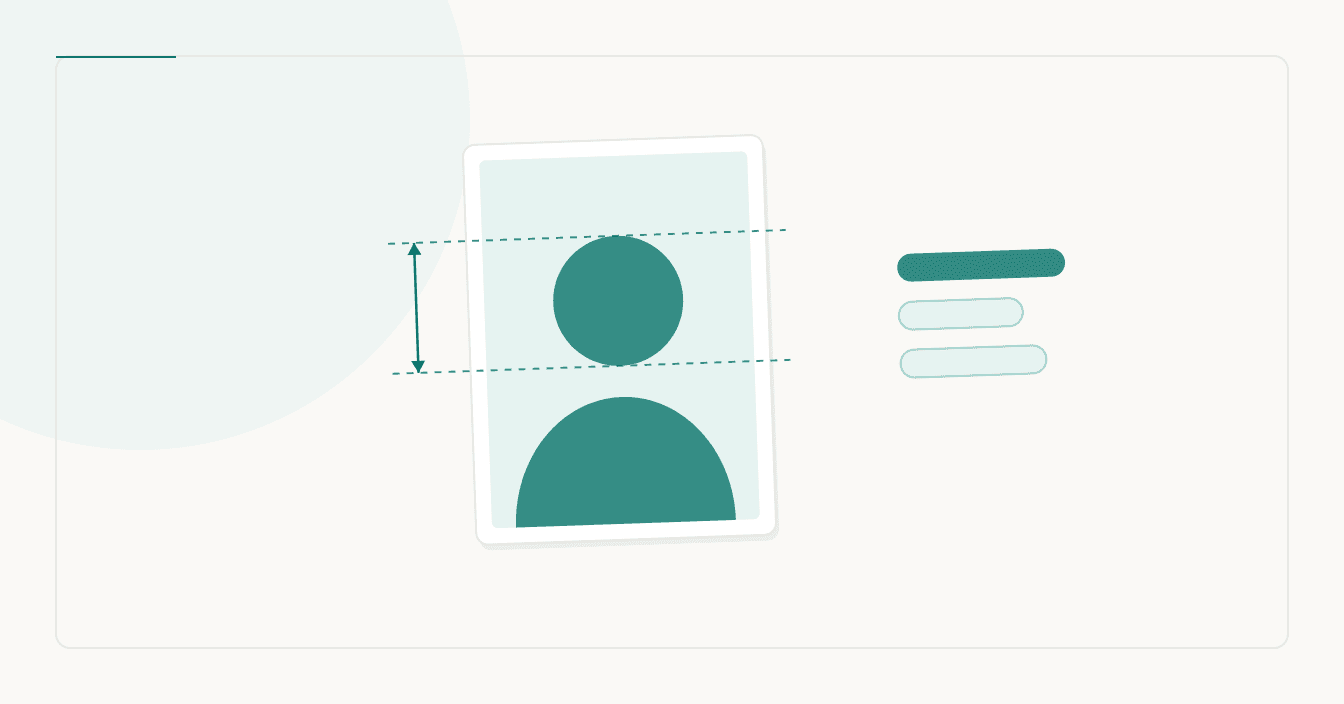
Taking your own passport photo is allowed in more places than people assume, and it fails for a reason almost nobody warns you about: the shadow on the wall behind you. Not your expression, not the crop — the shadow. Here is what the rules actually require, what your phone can and cannot do about it, and where the home route stops being an option.
First: does your country even want a home photo?
This is the step people skip, and it decides everything else.
For a US passport or a US visa, you supply the photo. The State Department's own manual for passport staff (8 FAM 402.1) says plainly that "Computer-generated photographs are acceptable if the image is sharp and clear." A phone photo is fine in principle. It must be in colour, taken within six months, and — since the rule changed — you cannot wear glasses.
For a UK passport applied for online, the situation is different and worth reading twice. GOV.UK says you can take one "using your own device during your passport application", but adds two things: "You'll need someone to help you take a photo during your application", and "Photos from a booth or shop are more likely to be approved than a photo taken using your own device." So the UK online route is not a solo job, and the government itself rates the DIY route as more likely to be bounced.
For a German Reisepass or Personalausweis, the home route has closed entirely: since 1 May 2025 those photos must be transmitted digitally from a photographer or a Behörde terminal, so a self-made photo is not accepted at all.
The shadow is a physics problem, not a photography problem
GOV.UK requires that your photo "not have any shadows on your face or behind you". 8 FAM 402.1 asks for lighting that "should be uniform with no reflections on the face and no shadows on the face which obscure the facial features".
A shadow appears behind you when the light source is close to you and you are close to the wall. Both halves of that are fixable without any equipment:
- Stand well away from the wall. A metre or more. This alone removes most cast shadows, because the shadow falls further behind you and softens.
- Face a window, in daylight, with no direct sun. An overcast day is the best free lighting there is. Direct sun makes hard shadows under the nose and chin.
- Turn the flash off. A phone flash is a small, hard, close light source — the exact recipe for a sharp shadow outline on the wall and a reflection on glasses or skin.
- Do not shoot with a window behind you. The camera exposes for the bright window and your face goes dark. 8 FAM warns about exactly this: over- and under-exposed photos "cause problems in printing, resulting in washed out images".
The background matters more than the backdrop
The UK asks for "a plain light-coloured background" and that you be "in clear contrast to the background". Note what that does not say: it does not name a colour, and it does not say white. Germany's official Fotomustertafel puts the same idea more precisely — the background must be plain, shadow-free, and form a clear contrast to the face and to the hair.
That last word catches people out. If you have light blonde or grey hair, a white wall gives you no contrast at the top of your head, and an automated check can fail to find where your head ends — a plain light grey or pale blue wall is often safer than white. A bedsheet works if it is genuinely flat; a creased one reads as a patterned background, which the Fotomustertafel lists as a failure.
The setup, in order
- Plain wall, no pattern, no picture frames, nothing else in shot.
- You stand about a metre in front of it, facing a window.
- Phone at eye height, roughly an arm and a half away — not at arm's length. Close-up phone lenses distort the nose and jaw, and that distortion is a real cause of rejection.
- Rear camera, not the selfie camera. It is the better lens on every phone.
- Someone else presses the button, or use the self-timer. For a UK online application, a helper is required anyway.
- Neutral expression, mouth closed, eyes open, looking straight at the lens. Both the US and the UK allow a natural expression; the UK specifically wants "a plain expression and your mouth closed".
- Take twenty. It costs nothing, and you want the option.
Do not "fix" it afterwards
This is the part where a home photo most often goes wrong, because the tools are right there on the phone.
8 FAM 402.1 is unusually direct about it: "Digital manipulation and/or retouching of the facial image on photographs is not acceptable. The use of beauty filters or other photo filter tools from social media websites and mobile applications (also known as 'apps') are also not acceptable." GOV.UK requires the photo be "unaltered by computer software". Germany's Fotomustertafel illustrates "Mit Retuschen/Filter" and "Weichzeichnen" as rejected examples.
Many phones apply beauty smoothing by default in the front camera. Turn it off before you shoot, not after. And background replacement — the thing half the internet will suggest — is editing the photo, and it is the single change most likely to be flagged.
Cropping and resizing are not editing. Changing your face, your skin, or what is behind you is.
Cropping to the right size
Once you have a frame you like, the geometry is the easy part. Our crop tools draw the head-height guides for the market you pick and never touch the image itself:
- 2 × 2 inch (600 × 600 px) — US passport, and the same square the DS-160 visa upload wants.
- 35 × 45 mm — the UK, Schengen and most of the rest of the world.
One important exception: for a UK online application, GOV.UK says "include your head, shoulders and upper body. Do not crop your photo — it will be done for you." So for that route specifically, upload the uncropped frame. Cropping is for printed applications and for the US.
If you want a second opinion before submitting, the photo checker measures dimensions, file weight, colour, background evenness, sharpness and an estimate of head size, in your browser with nothing uploaded. It is honest about its limits — it cannot judge your expression, your glasses or whether your eyes are open, and it says so.
File size, if the form complains
Upload limits are stricter than people expect: the UK digital photo must be "at least 50KB and no more than 10MB" and at least 600 × 750 px, and the DS-160 caps the photo at 240 KB. A 5 MB iPhone shot needs a HEIC to JPG conversion first — most portals reject HEIC outright — and then a size target such as 200 KB.
Worth knowing before it alarms you: HEIC to JPG usually makes the file bigger, because HEIC is the better codec. That is normal, not a fault.
When to stop and pay for a booth
If you have tried three times and something keeps failing, a booth is calibrated for exactly this, and the UK government's own ranking puts booth photos ahead of home ones. A home photo is a good option when your lighting cooperates; it is a poor one on a dark afternoon in a small room, and no crop tool changes that.
No tool, ours included, can promise a photo will be accepted — that decision belongs to the counter or to an automated check we do not control. What you can do is remove the failure causes you can see.
More from the blog
- How to Crop a Photo to 2x2 Inches (and Why the Square Is the Easy Part)
- WhatsApp profile picture size: the square you upload and the circle everyone sees
- What size photo for Instagram: the ratios Meta actually publishes
- What DPI for printing? Photos, posters, stickers, T-shirts and Procreate, with the pixel counts that actually matter